
End credits for film & TV
Every name spelled right, on the right card, signed off.
Postware replaces the spreadsheet chase. Department heads confirm their own crew, show admins build the cards, and line producers approve — with every change tracked along the way.
How it works
- 1
Departments confirm their own people
Each department head logs in, sees only their department, and confirms every name, spelling and title — starting from your payroll import or last episode's list. Crew can even confirm their own name from a link.
- 2
You build the cards
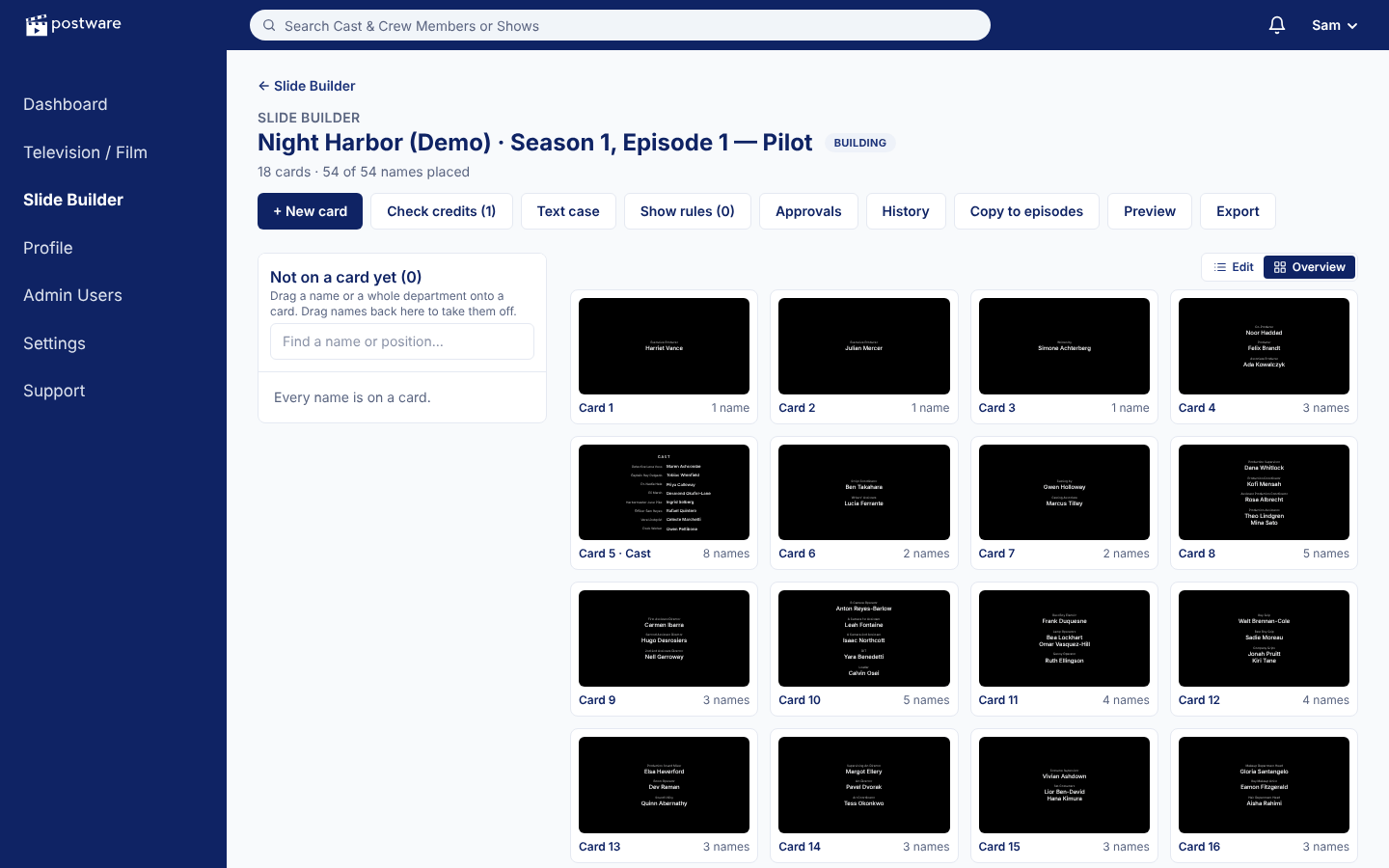
Once a department submits, its list locks. Let Postware draft the cards from your billing rules, then drag whole departments or single names to adjust — everything renumbers as you go.
- 3
Check, approve, export
Run the rules check and the missing-names check, collect sign-off from your line producer, then export the final, locked cards to Excel, Word or PDF.
See it in action
From a pile of names to finished cards
Draft the cards from your rules, drag names where they belong, switch to the overview to see the whole run, and preview every card full screen exactly as it will look.
Made for the people who compile credits
A first draft in one click
Postware lays out the cards from your department order and billing rules — separate cards, shared-card limits and own-card positions included.
Crew confirm their own names
Send each person a link to check the spelling and title of their credit. No account needed; corrections come straight back to the list.
Due dates that chase for you
Set when lists are due. Department heads and approvers get reminders by email, and late lists show up on the show admin's home page.
Every change on the record
Who changed what, and when — for every name, title and card — with a downloadable history for guild or contract questions.
Comments where the work is
Threaded comments on any name or card, with @mentions and replies, so notes don't get lost in email.
Billing that's checked
Contractual billing travels with each name, and the rules check flags anything out of line before anyone signs off.
Built for episodes
Copy departments, names and finished cards from one episode to the next, and compare two episodes' lists side by side.
Approvals that lock
Each approval is for an exact version. When everyone signs off, the cards become final and exports are the approved version.
Formatting in one click
Upper, lower or proper case by department or card, two-column cast cards, alphabetizing, and plural headings.
A closer look
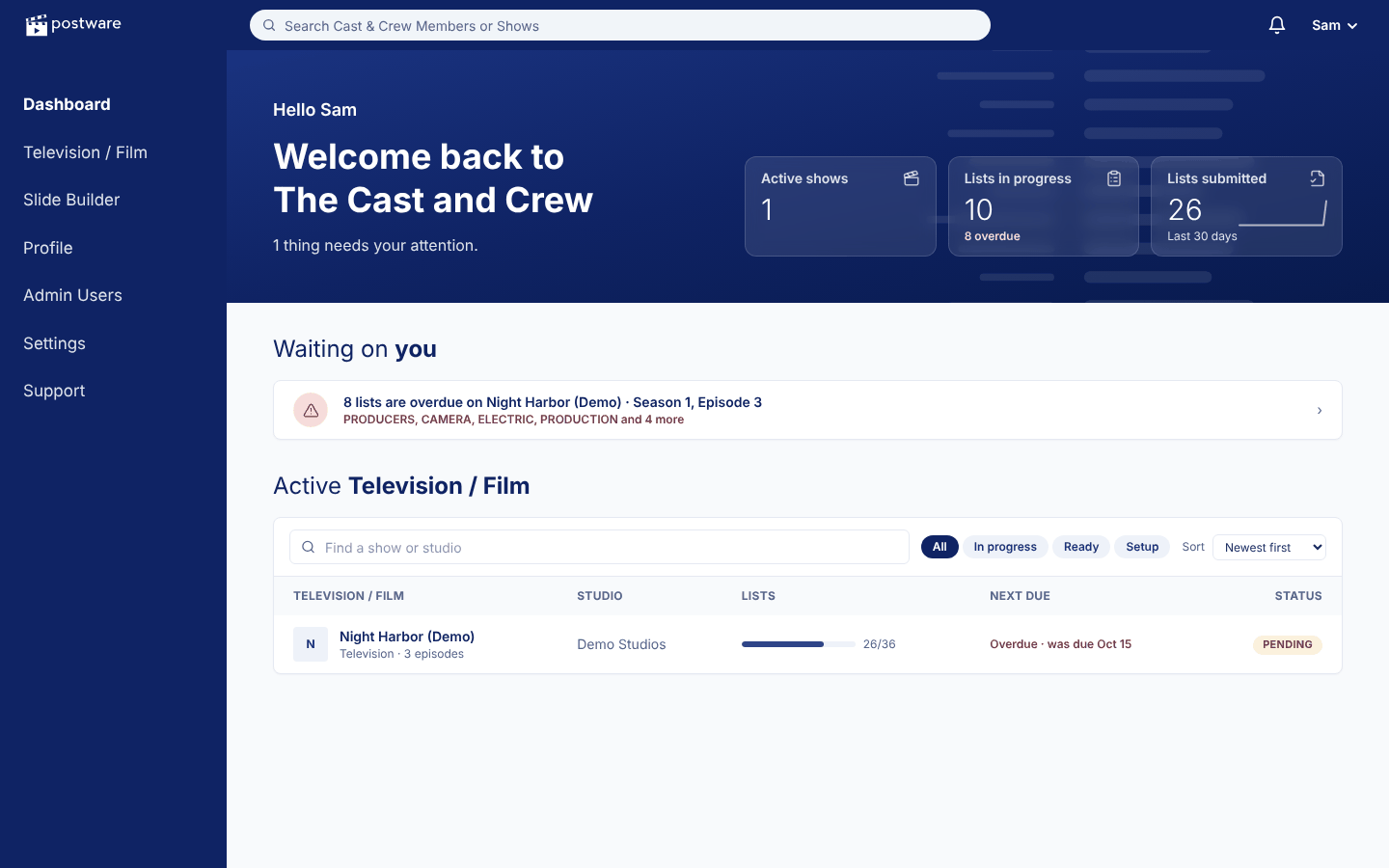
Know what's waiting on you
Lists to finish, cards to approve and late departments, the moment you sign in.
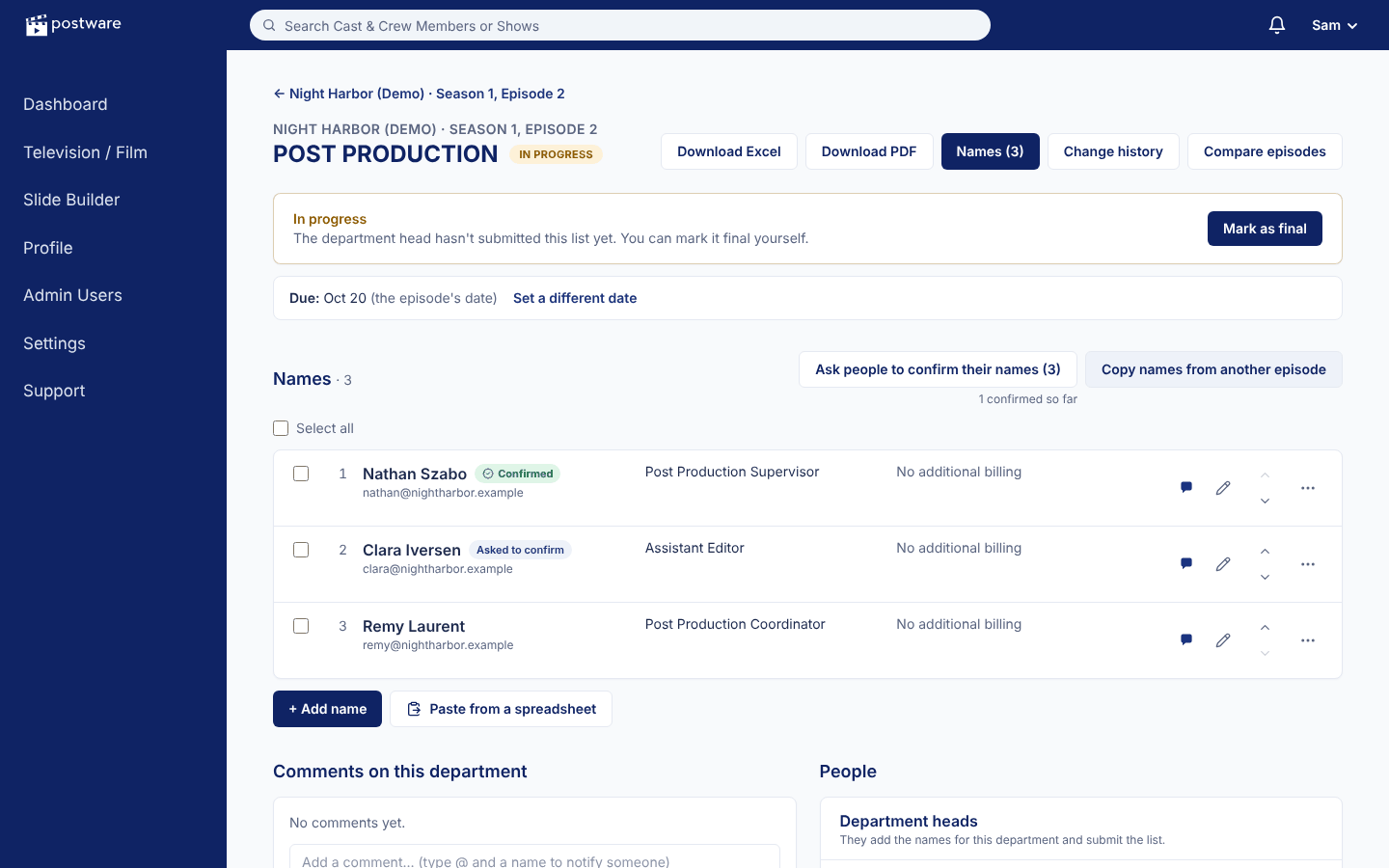
Lists the departments own
Paste from a spreadsheet, pick people already on the show, and see who has confirmed their name.
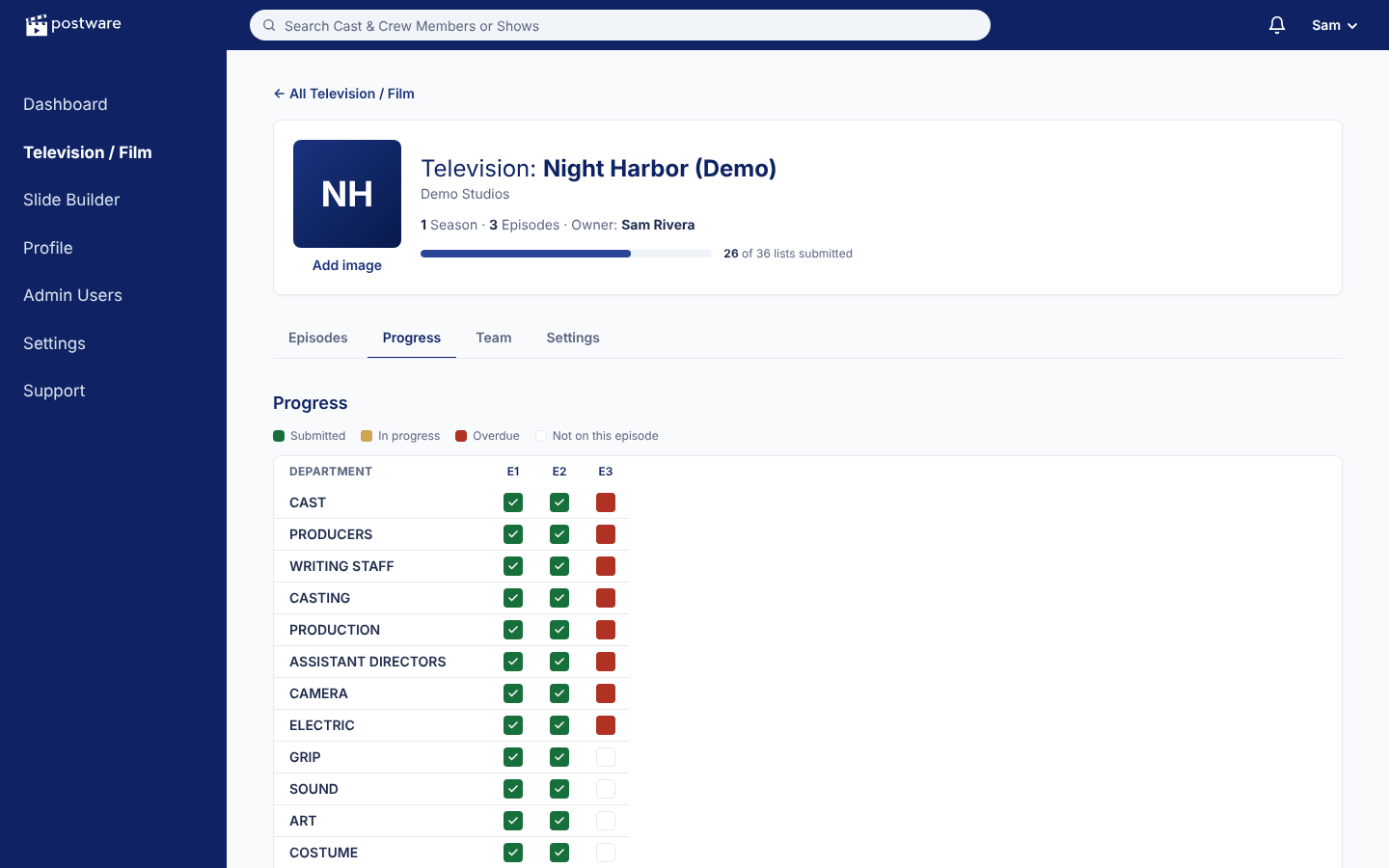
A whole season at a glance
Every department in every episode: submitted, still working, or overdue.
Everyone sees exactly what they need
Show admins
Set up departments, invite their heads, set due dates, then draft, check and export the final cards.
Department heads
See only their own department. Add everyone who worked on the episode, note any billing, and submit.
Line producers
Review the cards, comment on any card or name, make changes if needed, and approve the final version.
Accounts are by invitation only, two-step sign-in is available for everyone, and each person only sees the shows and departments they've been added to.
How setup works
We create your show and its seasons, and invite your show admins. They add departments (or import payroll), invite department heads and set a due date — Postware sends the reminders. Most shows are up and running the same day.
Tell us about your showQuestions
Who can see our credits?
Only the people you add. Department heads see only their own department; line producers see the cards they approve. Accounts are invitation only, and two-step sign-in is available for everyone.
Can we start from our payroll?
Yes. Import an Excel or CSV payroll export and Postware sorts the names into departments, matching people who are already on the show. You can also paste rows straight from a spreadsheet.
What do we get at the end?
The approved cards as Excel, CSV, Word or PDF — as a list in card order or one card per page — ready for your editor or title house.
Do crew members need an account?
No. Only the people who manage lists and cards sign in. Anyone else can confirm the spelling of their own credit from an emailed link.
Bringing Postware to your production?
We set up each show for you and get your show admins started.
Get in touch